
 Organisation6 min read
Freelancers, consultants, designers, trainers
Flopilot for freelancers: all your clients, one space
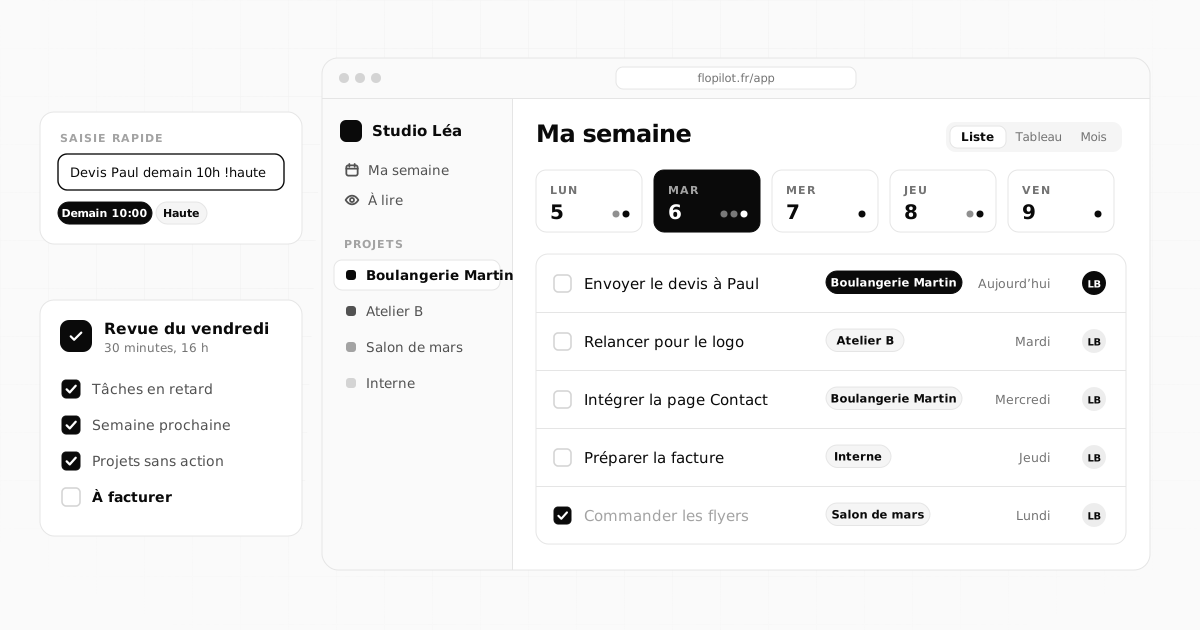
On your own, you are project manager, doer and salesperson all at once. Flopilot gives you a space per client, with everything that concerns them, and a clear view of your week.
What gets in the way
Sound familiar?
It is all in your head
Requests, promised dates, small changes to bill: nothing is written down in one place.
Your clients keep asking for updates
An email, a call, a message: you spend your time reporting on progress instead of making it.
Your files are everywhere
The quote in an email, the mockup in a shared folder, the contract in your downloads.
Real examples
How it works with Flopilot
A designer with six clients at once
Logos, business cards, social media visuals: short projects that overlap.
- One project per client, with a kanban board: "To do, In progress, Waiting for client, Done".
- Client feedback becomes tasks, each with its annotated screenshot.
- On Monday, the overview dashboard shows what is due this week.
A consultant who delivers reports
Interviews, meeting notes, a final report to get reviewed.
- Meeting notes live in the project's notes, the client's documents in Documents.
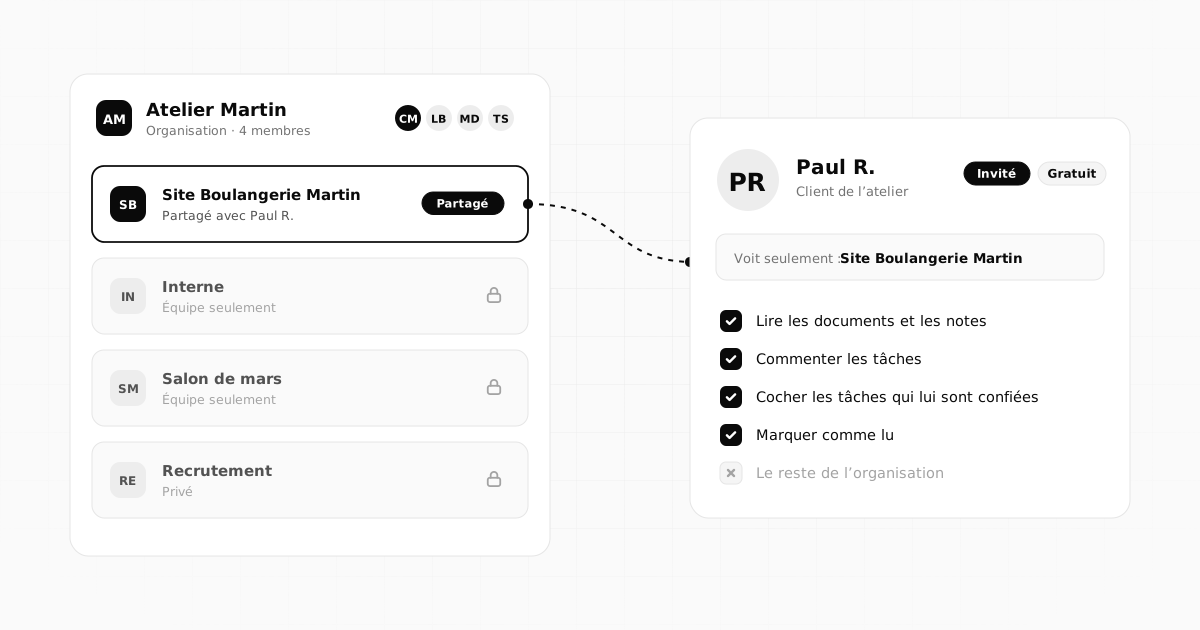
- The report goes into "To read" for the guest client: she sees when they have read it.
- With her Anthropic key, the AI summarises a long document in a few points.
A freelance developer
A website to fix, requests that keep trickling in.
- The task list is prepared with Claude Code, then imported as Markdown, sorted into groups.
- Every bug has its screenshot, pasted with Ctrl+V and annotated.
- He exports the list as Markdown to keep a record of each delivery.
Spring launch
ListBoardCalendar
Follow up with the printerEnter
Approve the poster artworkHighOct 9CM
Send the quote to the clientNormalOct 12LB
Book the venueNormalOct 15MD
Order the flyersLowLB
Write the press releaseNormalCM
The features that matter
What you will find most useful
Quick entry
One sentence, Enter: date, priority, tag and person are all picked up.
Three views
List in the morning, kanban to keep track, calendar to hit your dates.
Readable documents
Quotes, contracts, mockups: read in the app, without downloading.
Guest clients
Your client sees their project, comments and ticks off their tasks, without paying.
Reminders
A notification and an email at the time you choose.
Your week at a glance
An overview dashboard, across all your clients.
On the blog
Further reading
Organisation6 min read
 Teamwork4 min read
Working with outside guests: clients, contractors and partners
Share a project with a client, contractor or partner without opening up everything: who to invite, what they see, how to welcome them and wrap up cleanly.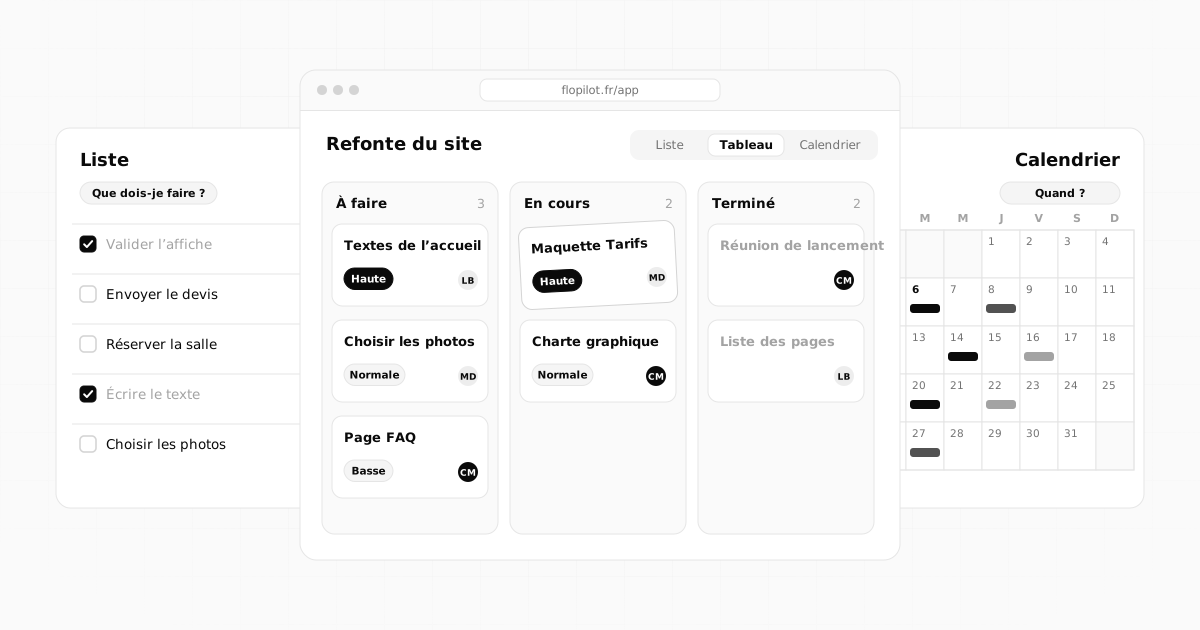 Methods6 min read
Kanban, list or calendar: which view should you use to manage your tasks?
List, kanban board or calendar: what each view is for, when to use it depending on your situation, and how to combine all three without retyping a thing.Frequently asked questions
Does Flopilot work if I work completely alone?
Yes. The Solo plan is designed for exactly that: alone or in a pair, with a few clients invited for free to their project. The details are on the Pricing page.
Do my clients have to pay to see their project?
No. A guest client sees only the project you share with them: they read, comment and tick off the tasks assigned to them, with no subscription.
Can I use Flopilot on my phone?
Yes, in your phone's browser: the site adapts to the screen. There is no mobile app to install.
Tidy up your projects once and for all
Tasks, notes, documents and dashboards in one place. No commitment, and your guests do not pay.