
 Organisation6 min read
Website builders, studios, developers
Flopilot for web agencies: every client site, one clear project
A website means a scoping phase, content that runs late, feedback all over the place and a sign-off you cannot afford to miss. Flopilot puts all of it into one clear project, shared with your client.
What gets in the way
Sound familiar?
Feedback comes from everywhere
Emails, calls, messages, screenshots with no explanation: no way to know what has been done.
The content never arrives
Copy, photos, logo: the client plans to send them "next week", and the project stalls.
Nobody knows who is swamped
Several sites at once, and no view of anyone's workload.
Real examples
How it works with Flopilot
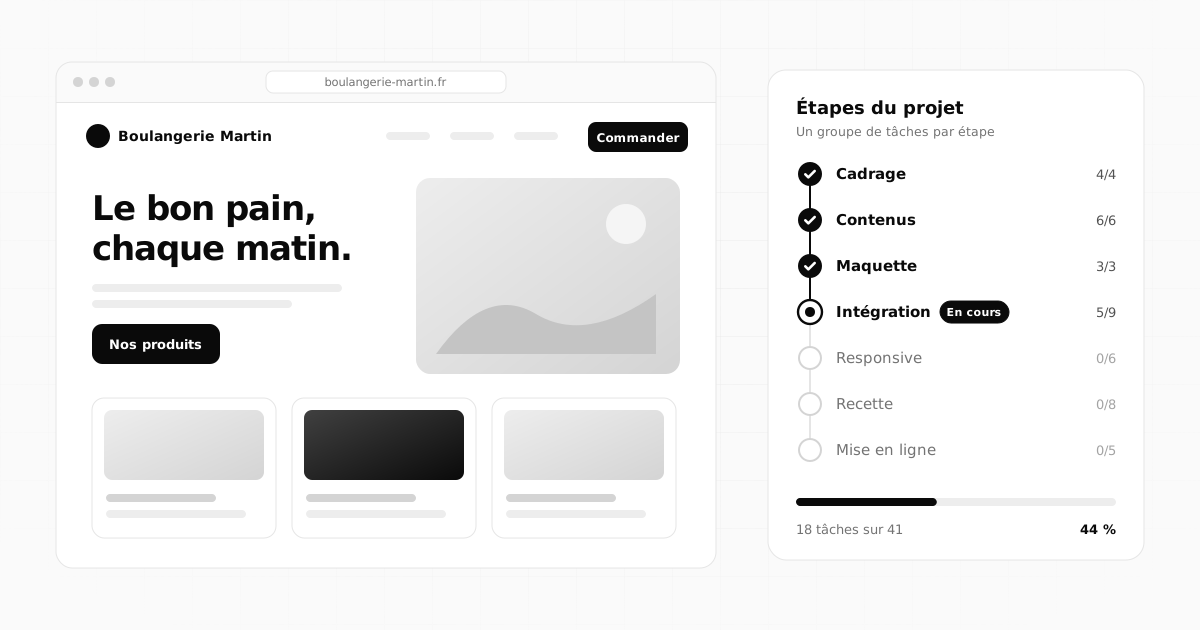
Building a business website
One project per site, from the brief to go-live.
- Task groups for each stage: Scoping, Content, Mockup, Build, Responsive, Sign-off.
- The content you are waiting for becomes tasks assigned to the guest client, with a due date.
- The project's useful links: staging, mockup, hosting dashboard.
Sign-off and fixes
Before go-live, dozens of feedback items to deal with.
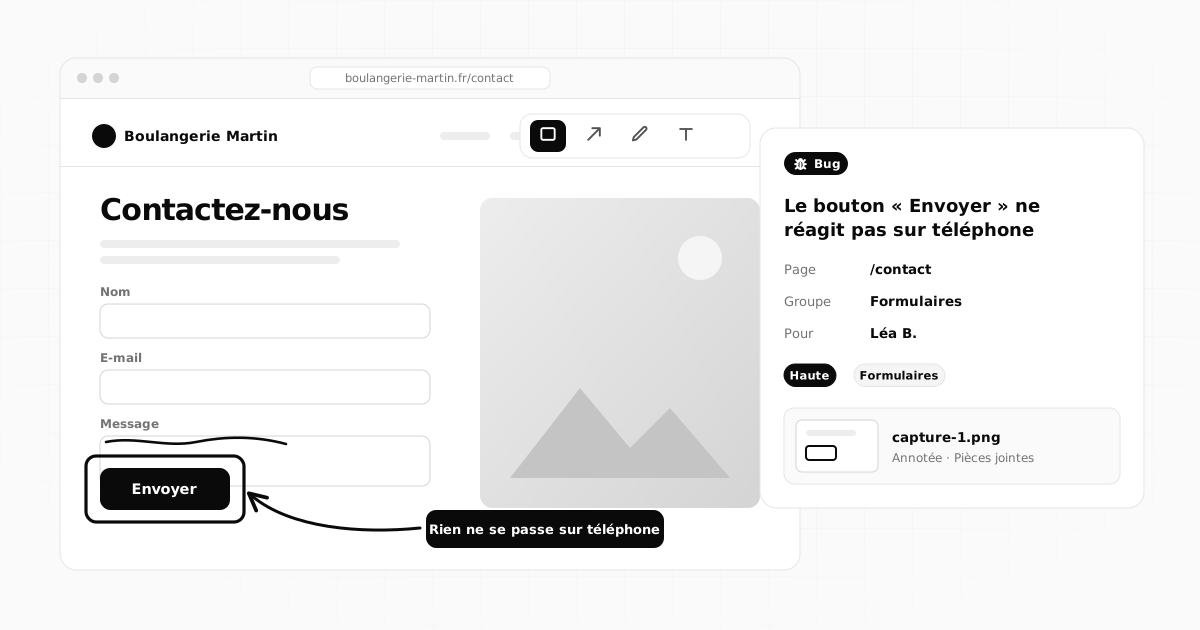
- "Report / suggest": a bug, a change or an idea, with a screenshot pasted with Ctrl+V and annotated.
- A kanban board: "To fix, In progress, To check, Fixed".
- The list filtered by type to see every bug at once.
Running the agency
Several projects, several people, a single view.
- The organisation dashboard: progress on each site, delays, team workload.
- For sites built with Flopix, visits show up in a widget.
- Task lists written with Claude Code are imported as Markdown, and exported to be reviewed.
Martin Studio
Overview
Search
To read
Notifications
Projects
Website redesign
Spring launch
Hiring
March trade show
Website redesign
ListBoardCalendarDashboard
Add a task…Enter
To do 3
Write the homepage copy
Choose the photos
Prepare the FAQ page
In progress 2
Pricing page mockup
Review the brand guidelines
Check the colours1/3
Done 2
Kickoff meeting
List of site pages
The features that matter
What you will find most useful
Report / suggest
Bugs, changes and ideas, with annotated screenshots (box, arrow, pen, text).
Task groups
"Responsive", "Buttons", "Content": each stage has its own group.
Import and export
Markdown or CSV, for example a list prepared with Claude Code.
Guest clients
They follow progress, comment and approve, without paying.
Team workload
Everyone's open tasks, on the dashboard.
Flopix family
Visits to Flopix sites and Flopost carousels, right in your dashboards.
On the blog
Further reading
Organisation6 min read
 Teamwork5 min read
How to report a bug with an annotated screenshot: the complete guide
What a good bug report should include, how to take a screenshot on a computer or phone, annotate it and send it to the right person to get it fixed.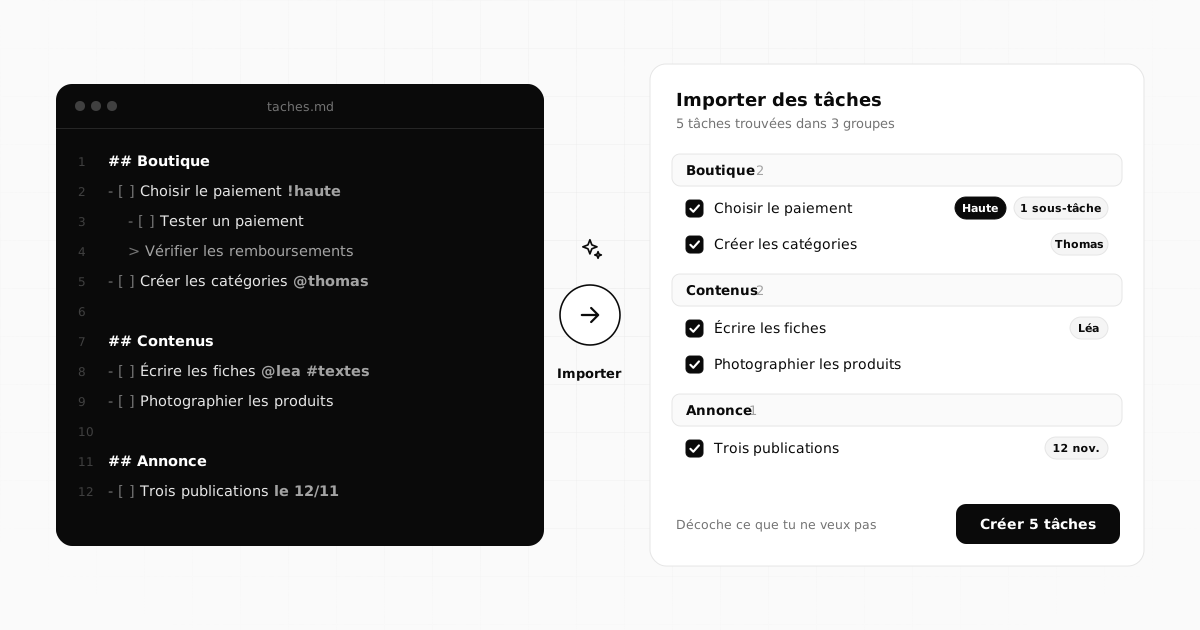 Methods5 min read
How to create a task list with AI, then import it into your project
How to ask an AI like Claude for a well-structured task list, review it, then import it into your project as Markdown or CSV in a single click.Frequently asked questions
Can the client approve a mockup in Flopilot?
Yes: create an "Approve the mockup" task assigned to the guest client, with a due date. They read the documents in the app, write their feedback as comments and tick the task once it is approved.
Do guest clients pay?
No. The agency holds the subscription; guests never pay. How many you can invite depends on the plan.
Does Flopilot replace a ticketing tool?
For website feedback and fixes (bugs, changes, ideas with annotated screenshots), it is often enough. For customer support at scale, with hundreds of requests a day, a dedicated ticketing tool is still a better fit.
Tidy up your projects once and for all
Tasks, notes, documents and dashboards in one place. No commitment, and your guests do not pay.